
Your First Project
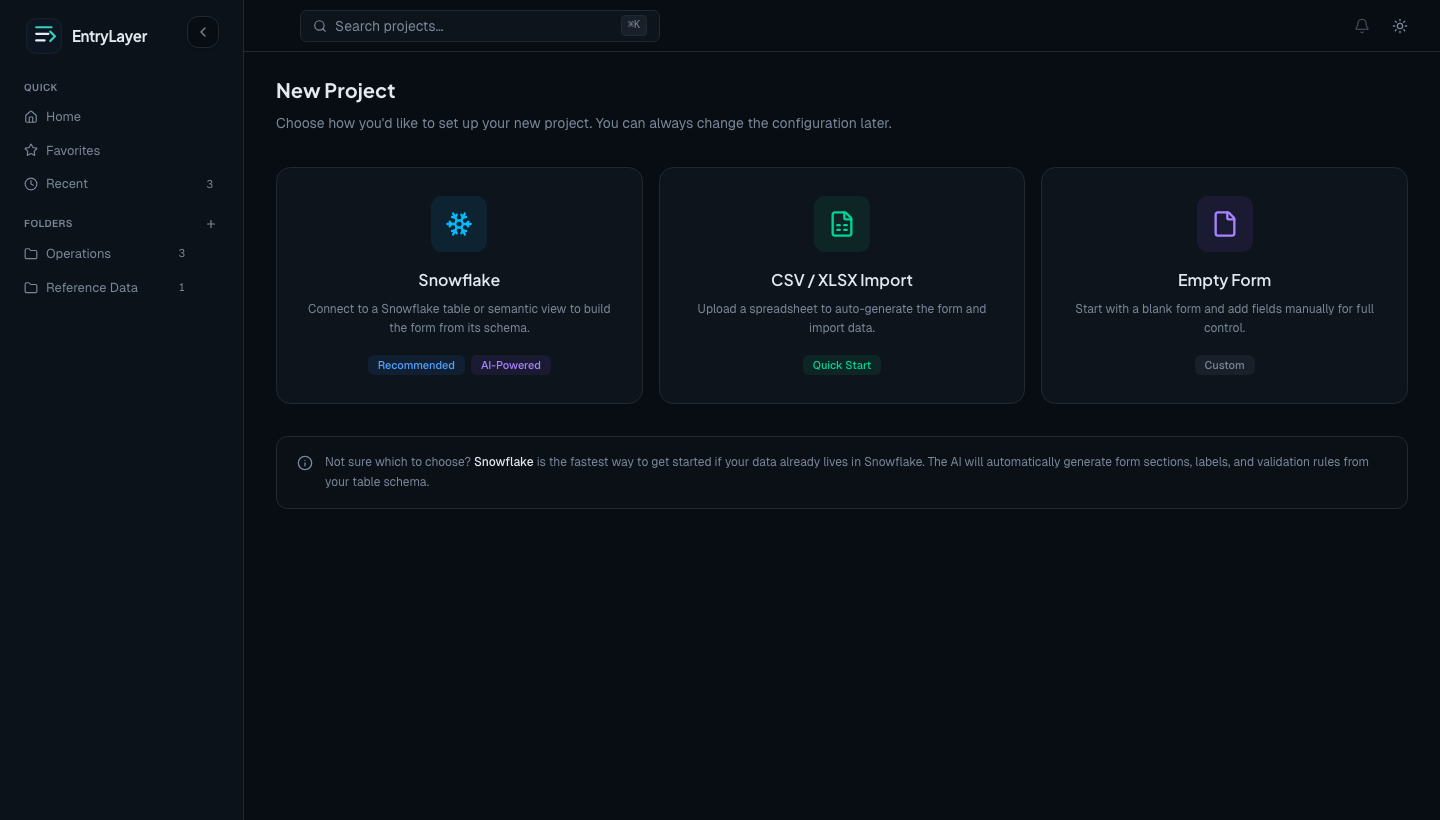
EntryLayer supports three practical starting paths:
- Snowflake tables, views, or semantic views
- CSV / Excel import
- a blank form
For most teams, the Snowflake path is the fastest way to understand the full product because it shows source-connected records, virtual submissions, and generated form structure immediately.
When to use this page
Section titled “When to use this page”Use this page after installation and initial setup are complete, at least one builder or admin seat exists, and the app can see at least one intended source object or starter file.
Prerequisites
Section titled “Prerequisites”- You can open EntryLayer from Snowsight.
- Your user has an EntryLayer
buildoradminseat. - For Snowflake projects, Restricted Caller Rights are granted on the source database.
- For Cortex-assisted generation,
SNOWFLAKE.CORTEX_USERis enabled for the installed app.
Choose the right starting path
Section titled “Choose the right starting path”Snowflake
Section titled “Snowflake”Use the Snowflake path when:
- your source data already lives in Snowflake
- you want source-connected data entry projects
- you want EntryLayer to generate an initial form from an existing table or semantic structure
CSV / Excel
Section titled “CSV / Excel”Use the file path when:
- you are starting from a spreadsheet
- you want a guided import-and-generate flow
- you want to stand up a project quickly without source browsing first
CSV/XLSX projects still use EntryLayer seats, project access, audit history, and workflow behavior after creation.
Blank form
Section titled “Blank form”Use the blank path when:
- you want to design the form manually
- you are starting from a business process instead of an existing schema
- you want to go directly into project setup and form design
Recommended first run: Snowflake
Section titled “Recommended first run: Snowflake”- Click New Project.
- Choose Snowflake.
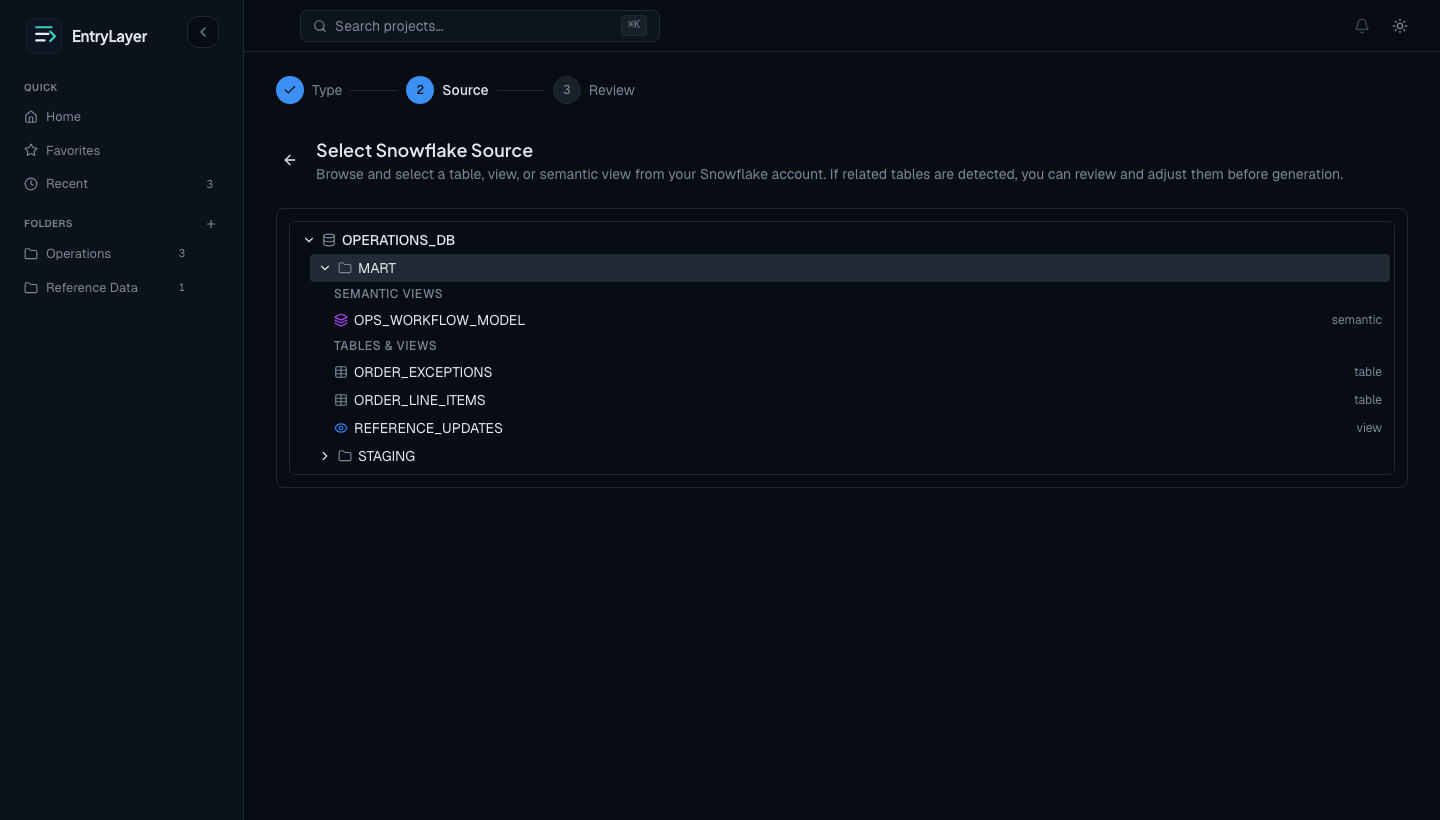
- Browse databases, schemas, and tables from the Object Explorer.
- Select a source table, view, or semantic view.
- Let EntryLayer inspect the source and generate the initial form structure.
- Review the generated project and create it.
Verify the Snowflake path
Section titled “Verify the Snowflake path”Before inviting a team, confirm:
- the expected database, schema, and source object appear in the Object Explorer
- generated fields have reasonable labels, types, sections, and read-only flags
- the project opens without requiring direct table grants beyond the signed-in user’s Snowflake access
- the Records grid loads only for users with project read access
- users without project read access see a permission message rather than record data
What EntryLayer generates
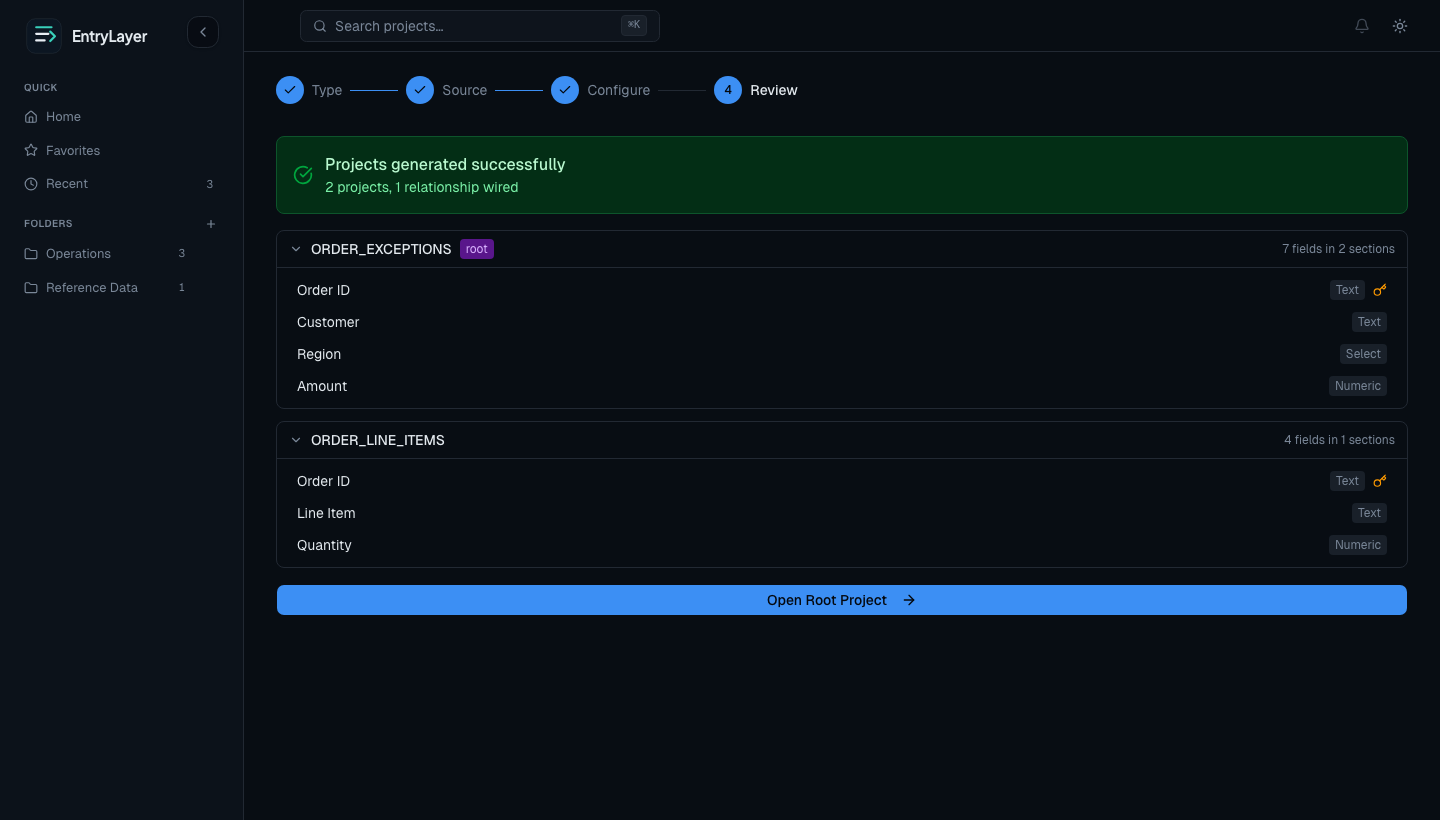
Section titled “What EntryLayer generates”For Snowflake and spreadsheet-based creation, the generator typically:
- creates sections and rows from the source schema
- chooses initial field types
- detects candidate select/dropdown fields
- assigns stable field IDs
- creates the source binding for the project when the project is source-connected
Before you finish, EntryLayer shows a generated-project review step so you can confirm the structure that will be created.
What you see next
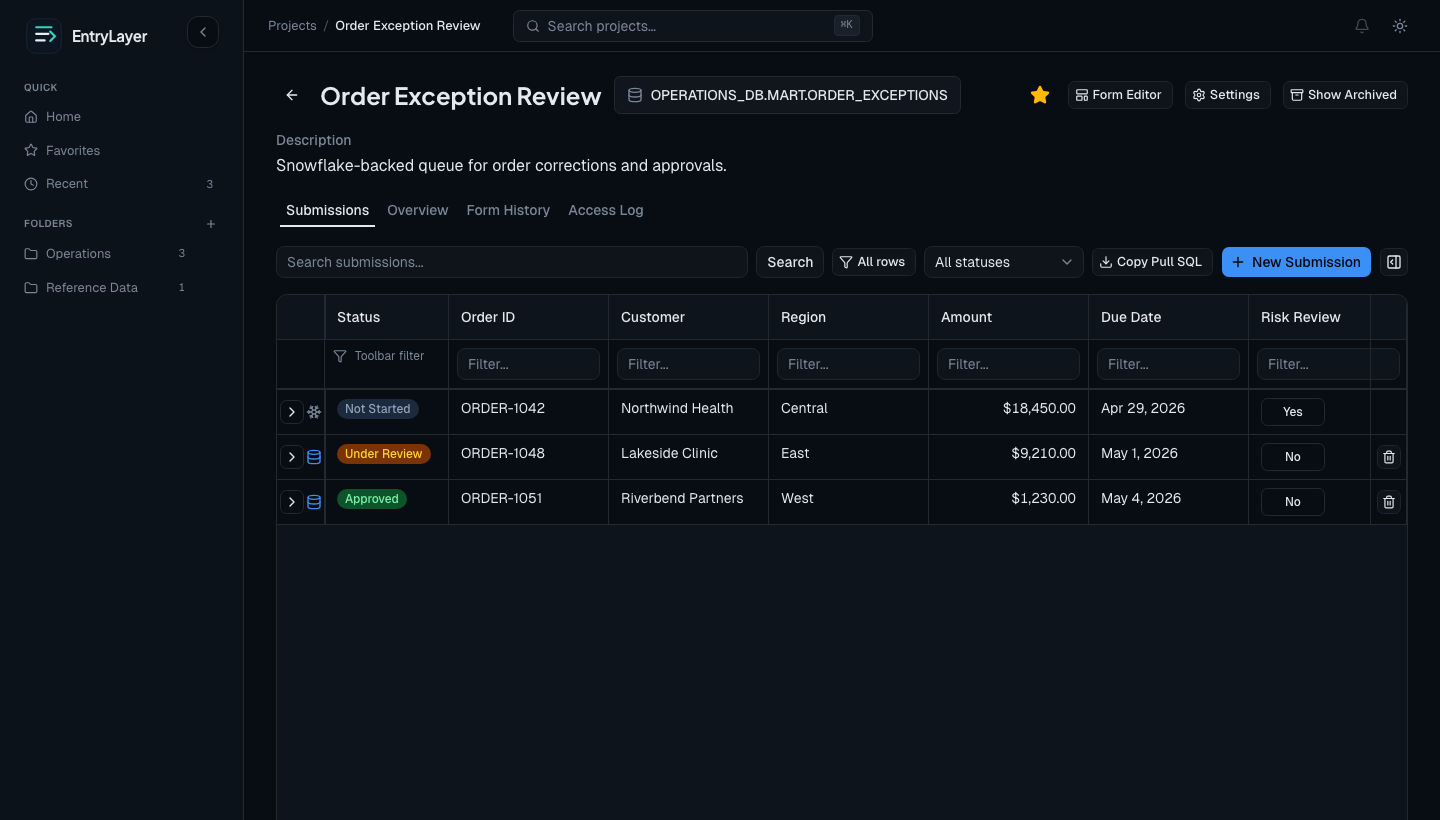
Section titled “What you see next”The new project opens with:
- the project detail shell
- the records grid
- the record detail drawer
- the published form structure
If the project is source-connected, rows typically appear first as virtual submissions.
What happens with source-connected rows
Section titled “What happens with source-connected rows”A virtual submission means:
- the source row still lives in Snowflake
- EntryLayer renders it directly in the app
- Snowflake row access and masking policies still apply
- the row only becomes a local managed submission when workflow or editing needs it
What happens after materialization
Section titled “What happens after materialization”When a row is materialized:
- EntryLayer creates a managed local submission
- local workflow state can be tracked
- local field history begins
- access and audit events become part of the record’s app-managed history
After materialization, EntryLayer tracks local edits, workflow history, and audit events on that submission.
Verification checklist
Section titled “Verification checklist”- A builder or admin can open the project.
- Expected fields appear in the form editor and record drawer.
- Project access controls determine who can read records.
- Virtual rows remain subject to Snowflake source permissions until materialized.
- The generated form can be refined and published before broader rollout.
Related docs
Section titled “Related docs”- Getting Started Overview
- Initial Setup
- Read the User Guide
- Explore the Project Workspace
- Learn the Form Editor
- Review the Permission Model
- Learn how Virtual Submissions work
- Review Field Types
- Understand Source Objects & Semantic Views